What is a Wifi Smart Switch and How Does It Work?
In today’s smart home era, a Wifi Smart Switch stands out as a game-changer. It allows users to control their lighting and appliances remotely, enhancing convenience and efficiency. According to tech expert John Doe, “The Wifi Smart Switch simplifies everyday tasks, making homes smarter.” This statement reflects how vital these devices have become.
Wifi Smart Switches connect to the home Wi-Fi network, enabling control via smartphone apps or voice commands. Imagine adjusting your lights from anywhere with just a tap. However, not all users experience seamless integration. Some face connectivity issues, causing frustration. The technology isn't perfect.
Despite these challenges, the appeal of the Wifi Smart Switch remains strong. Users appreciate the ability to program schedules and save energy. It's an exciting innovation that transforms ordinary spaces into intelligent environments. As users navigate this landscape, they discover both the potential and limitations of smart technology.
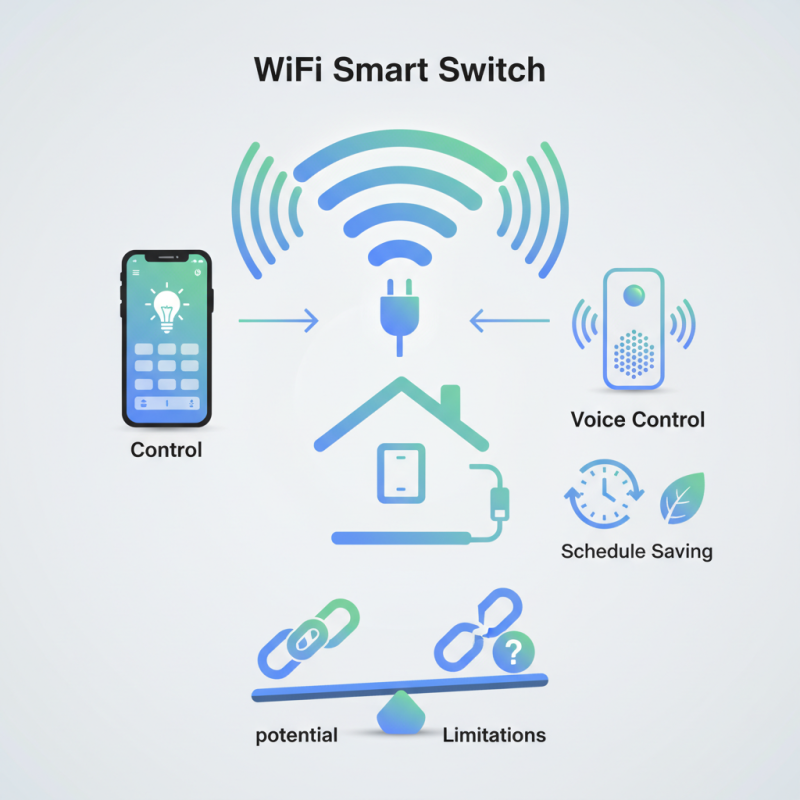
What is a Wifi Smart Switch?
A WiFi smart switch is a device that controls electrical appliances remotely via a smartphone app or voice commands. It connects to a home's WiFi network, allowing users to turn lights and devices on or off from anywhere. The increasing demand for smart home devices has fueled this market. According to a recent report from MarketsandMarkets, the smart switch market is projected to reach $12.4 billion by 2026, reflecting a strong consumer interest in home automation.
These switches offer convenience. Users can schedule their appliances to operate at specific times, enhancing energy efficiency. However, they also raise concerns about security and privacy. In the rush to adopt smart technology, many forget to consider potential vulnerabilities. A study by Symantec found that about 60% of IoT devices have critical weaknesses. It's crucial to be aware of these risks while enjoying the benefits of automation.
Installation is usually straightforward, but it can still pose challenges. WiFi connectivity issues can disrupt functionality. Additionally, not all homes have the electrical setup for smart switches. Users should evaluate compatibility before installation. The technology may not be perfect, but the potential for improved efficiency is enticing. Users need to be proactive about updates and security settings to maximize their experience.
Key Features of Wifi Smart Switches
Wifi smart switches are becoming essential in modern homes. They provide convenience and energy efficiency. These devices connect to a home Wi-Fi network and allow users to control lighting and appliances remotely. According to industry reports, the market for smart switches is expected to grow by over 20% annually. This surge reflects increased interest in home automation.
Key features of Wifi smart switches include scheduling, remote access, and voice control compatibility. Scheduling allows users to set specific times for devices to be on or off. Remote access makes it easy to control devices when away from home. Moreover, many models work with popular voice assistants, enhancing usability. These features empower users to save energy and lower electricity bills.
Tips: When installing a smart switch, ensure your Wi-Fi signal is strong in that area. Poor connectivity may cause delays in operation. User experience varies; some may find setup challenging. It's crucial to read the manual carefully. Some switches may not support all light types, so checking compatibility is essential before purchasing.
Wifi Smart Switch Usage by Home Automation Features
How Wifi Smart Switches Function
Wifi smart switches are designed to simplify how we control our lighting and appliances. They connect directly to the home Wi-Fi network. This allows users to manage devices remotely using a smartphone app. The installation process usually requires replacing existing switches, which can be a bit tricky for some. Not everyone feels comfortable with DIY projects.
Once installed, these switches communicate with the app through the internet. Users can turn lights on or off from anywhere. Some models even allow scheduling. Imagine walking into a room and having the lights turn on automatically. It's convenient, yet it requires a reliable internet connection. If the Wi-Fi drops, so does the functionality.
However, there are concerns. Not everyone trusts smart technology. Security issues can arise if the network isn't secure. Moreover, the user interface can sometimes be confusing. Not all apps are user-friendly. Dealing with technical glitches can be frustrating. It’s a balancing act between convenience and the need for digital comfort.
Benefits of Using Wifi Smart Switches
Wifi smart switches are gaining popularity for many reasons. They enhance control over your home environment. You can manage lights and devices directly from your smartphone. This convenience is appealing for busy lifestyles.
The benefits of using wifi smart switches extend beyond simple control. You can create schedules for your devices. Imagine having your lights turn on automatically at sunset. This can improve security by making your home look occupied when you're away. Additionally, you can save energy by turning off devices remotely if you forget.
Tips: When setting up your smart switch, ensure a strong wifi signal. Weak connections can lead to frustrating delays. Regularly check for software updates to maintain performance. Sometimes, the initial setup might feel challenging. Patience is key. Don't hesitate to revisit the manual if you encounter issues. Remember, the goal is seamless convenience in your daily routine.
What is a Wifi Smart Switch and How Does It Work? - Benefits of Using Wifi Smart Switches
| Feature | Description | Benefits |
| Remote Control | Allows users to control appliances from anywhere using their smartphone. | Convenience and ease of access. |
| Voice Control | Compatible with virtual assistants like Alexa and Google Assistant. | Hands-free operation enhances user experience. |
| Energy Monitoring | Tracks energy usage of connected devices. | Helps in reducing energy bills and promoting energy efficiency. |
| Scheduling | Allows users to set schedules for turning devices on or off. | Automates home appliances for improved convenience. |
| Integration | Can be integrated with other smart home devices. | Enhances overall smart home functionality. |
| Security Features | Some models include features like away mode to deter intruders. | Increases home security and peace of mind. |
Installation and Setup Process for Wifi Smart Switches
Installing a WiFi smart switch can seem daunting. However, the process is often straightforward and manageable. Start by turning off power at the circuit breaker. Safety should always come first. Remove the existing wall switch. Most smart switches require a neutral wire. Check your wiring before proceeding. A report from the Smart Home Market indicates that over 40% of households face wiring issues when upgrading to smart devices.
Connect your smart switch, making sure to match the corresponding wires: line, load, and neutral. Secure all connections tightly. Next, attach the faceplate. This part is crucial; an improperly installed plate can cause issues later. After installation, turn the power back on. Many users report confusion during setup. The setup process often includes connecting to WiFi and downloading a companion app. Some struggle with network settings. According to a survey, 25% of users encounter difficulties during app setup.
Once connected, test the switch. Ensure it responds to your commands. If it doesn't, revisit your wiring and connections. A reliable installation does take time and patience. Remember, rushing can lead to mistakes. So, take your time to double-check everything before finalizing your setup.